A music stand for your MIDI keyboard.
Connect a keyboard and open a song: its notes fall onto the keys you play them on while the score scrolls above. Play along at your own pace, let the song wait for you, or take on the challenge and score every note.
- Native on Mac, iPad & iPhone
- No account, no tracking
- 360 songs included
- ANY MIDI KEYBOARD
- VELOCITY · SUSTAIN · PITCH BEND
- FALLING NOTES · GRAND STAFF
- FINGERS · RAINBOW NOTES
- MAC · IPAD · IPHONE
The score above, the keys below.
Every note falls onto its own key in its part’s colour, between bar lines, and lights the key as it sounds. Read it as falling notes, as an engraved grand staff, or both at once.
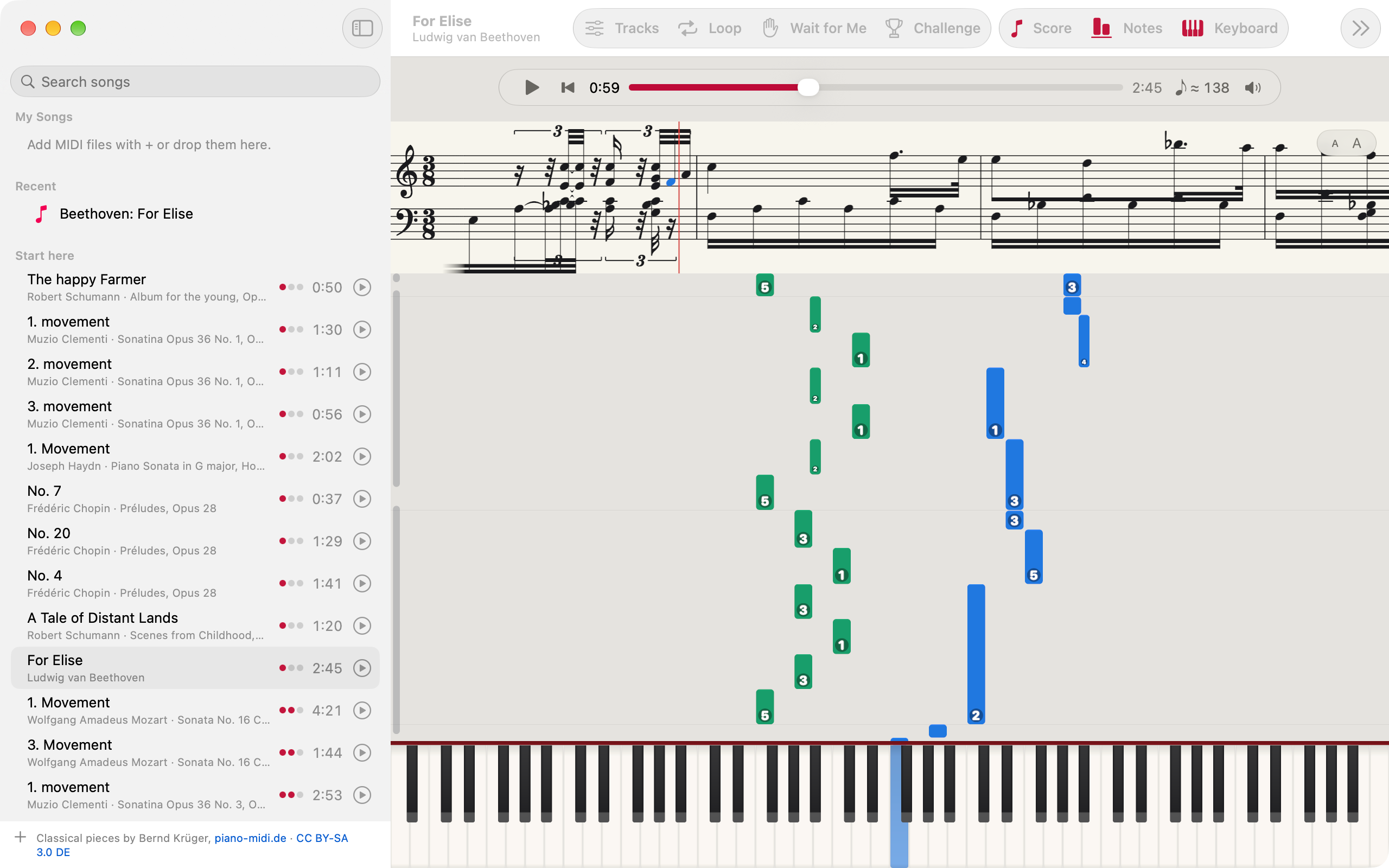
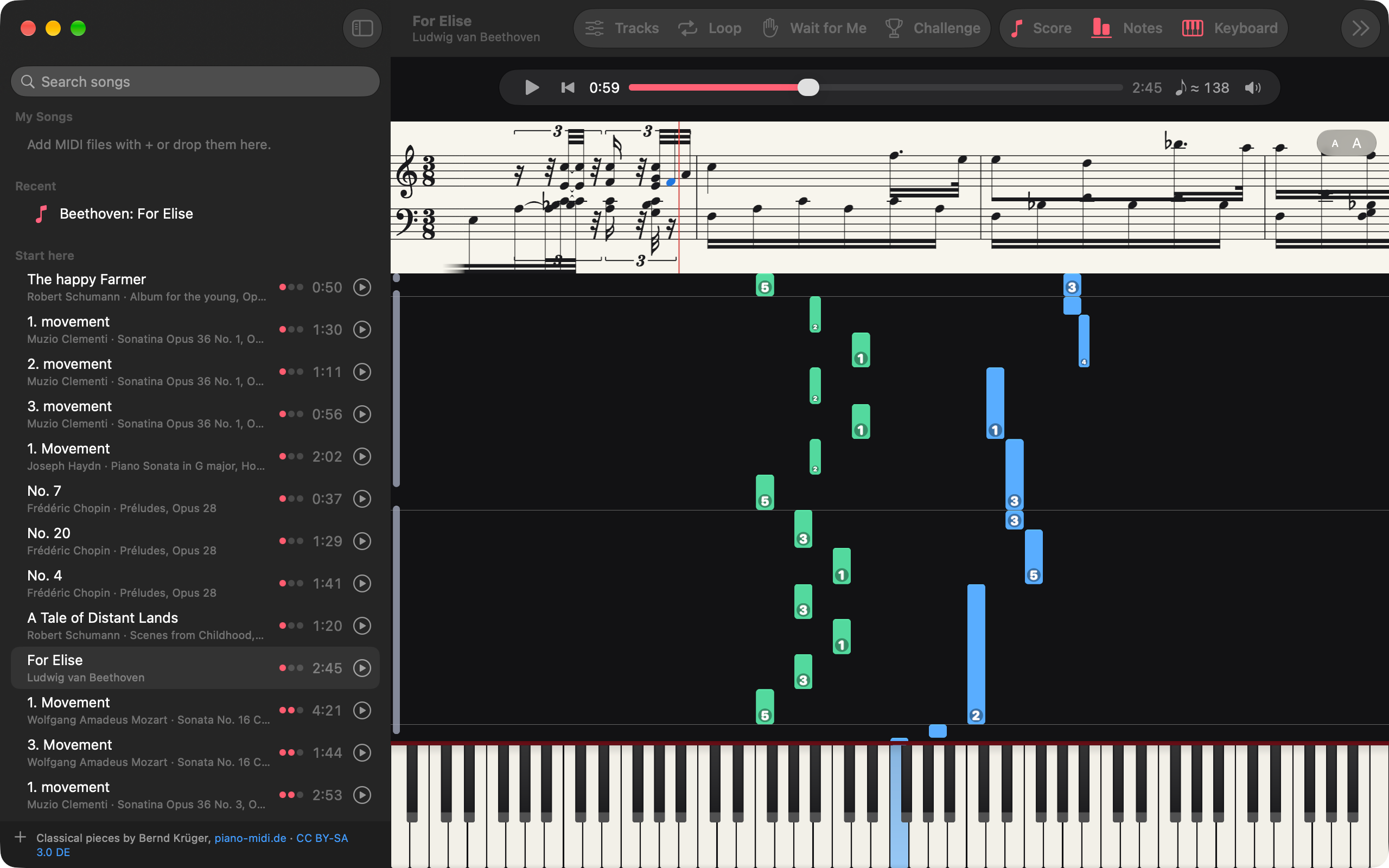
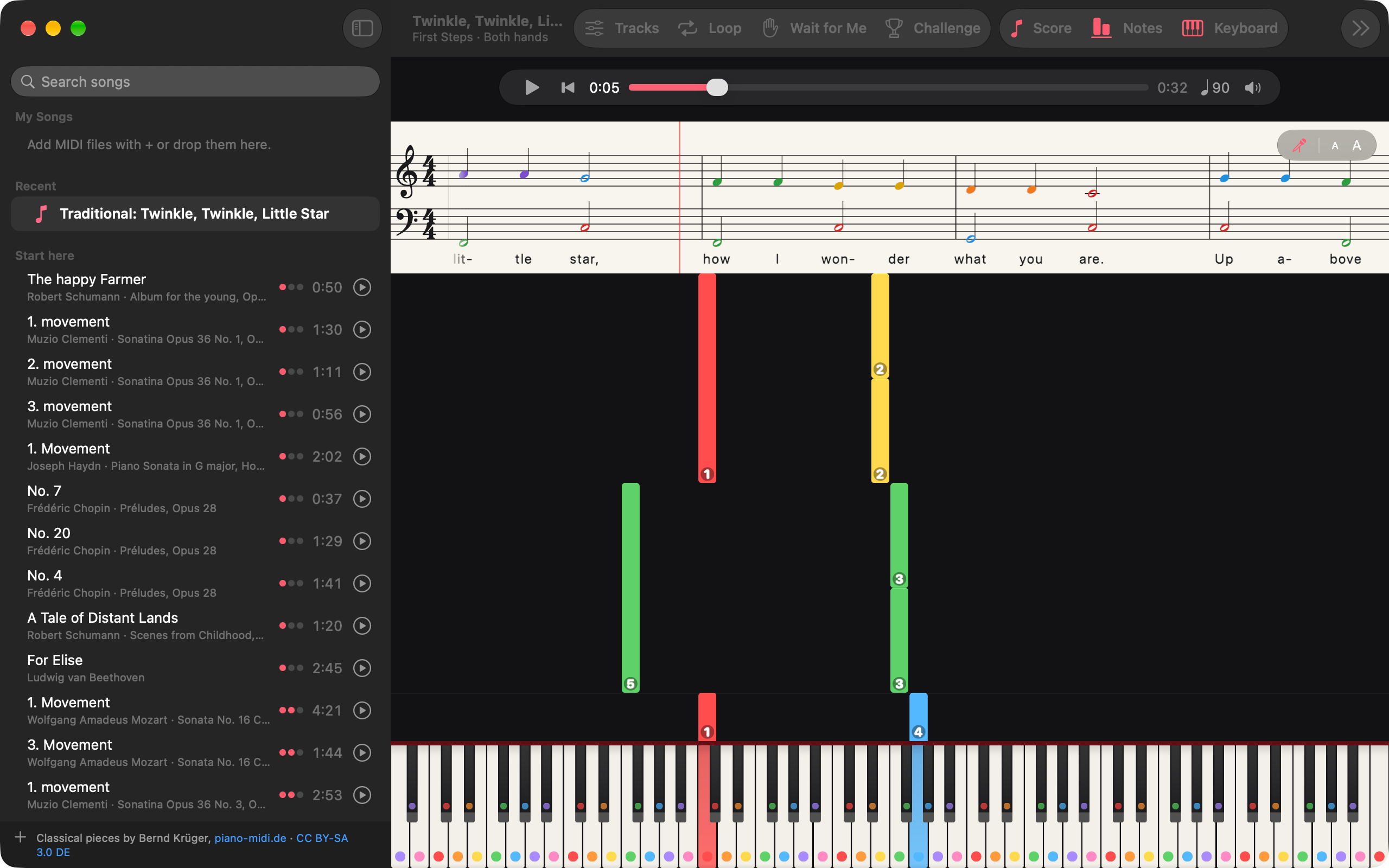
Plug in. Open a song. Play.
Pupitre listens to every MIDI keyboard your Mac, iPad or iPhone can see and plays it through a real piano. A song falls onto the keys you play it on, at the tempo you choose.
Any MIDI keyboard
Velocity, the sustain pedal and pitch bend, played as you play them. No keyboard at hand? Play the keys with the mouse on a Mac, or with every finger on iPad and iPhone.
From the library, or yours
Start from the First Steps course or the classical library, or open a MIDI file of your own: File ▸ Open…, or drop it on the window.
→ level 2 · both hands
Play along, and pick up later
Every song remembers its loop, its tempo, its parts and its place. The song you had open is waiting, paused, when you come back.
↳ kept for next time
Learn a song, one hand at a time.
Everything a teacher would slow down, split up or write on the page, set per song and remembered with it.
-
Wait for Me
The song stops at each of your notes until you play it, then carries on. Gentle, Careful or In Time, switched per song.
-
One hand, the other played for you
Show or silence each part of a song, and play the one you are learning while Pupitre plays the rest.
-
A real score
Both staves, engraved, scrolling under fixed clefs, key and time signature, with the words under the notes when the song has lyrics.
-
Tempo from 25% to 200%
Slow a passage down and bring it back up. Steady Tempo evens a performer’s rubato into one pulse, shown as a metronome mark.
-
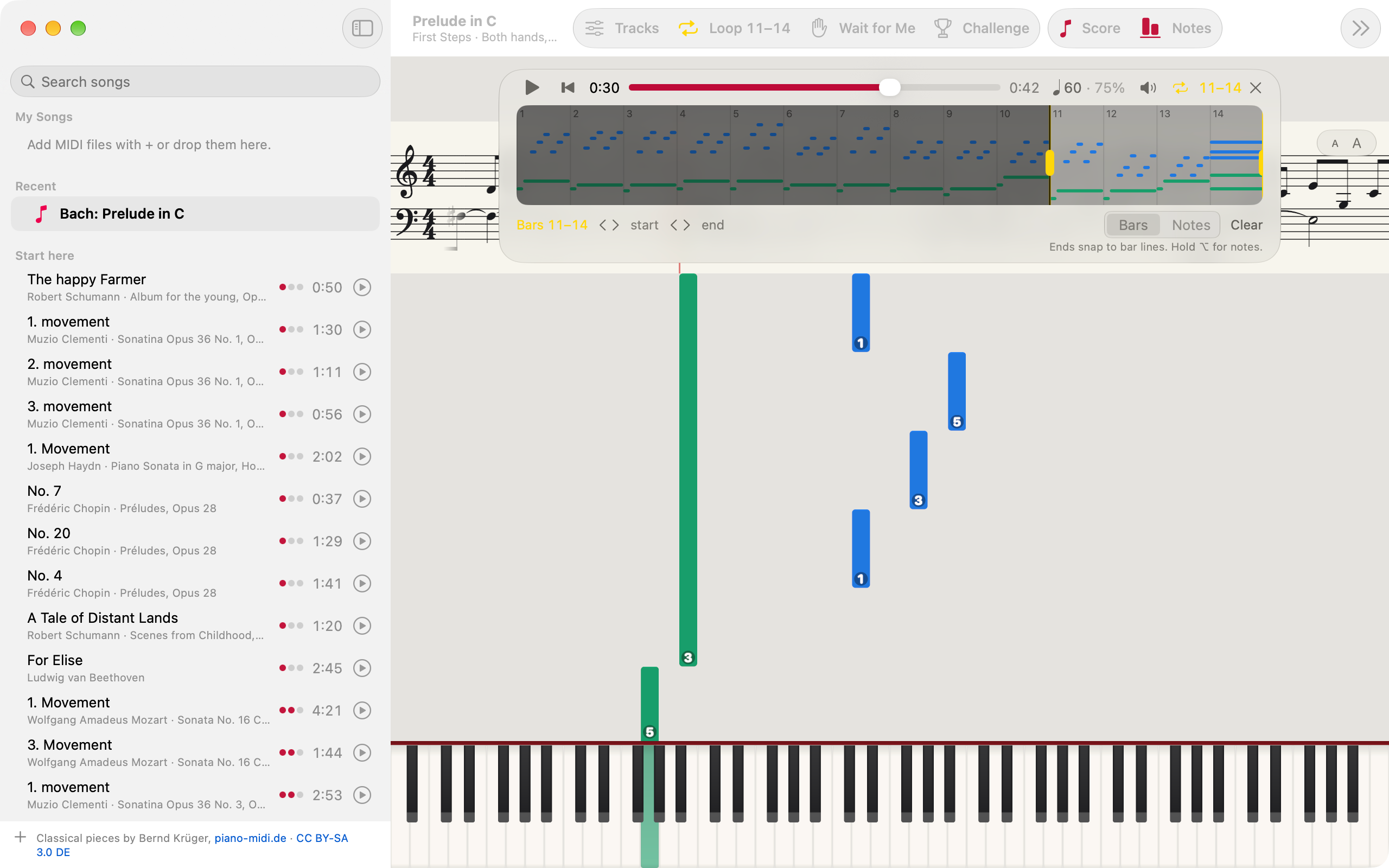
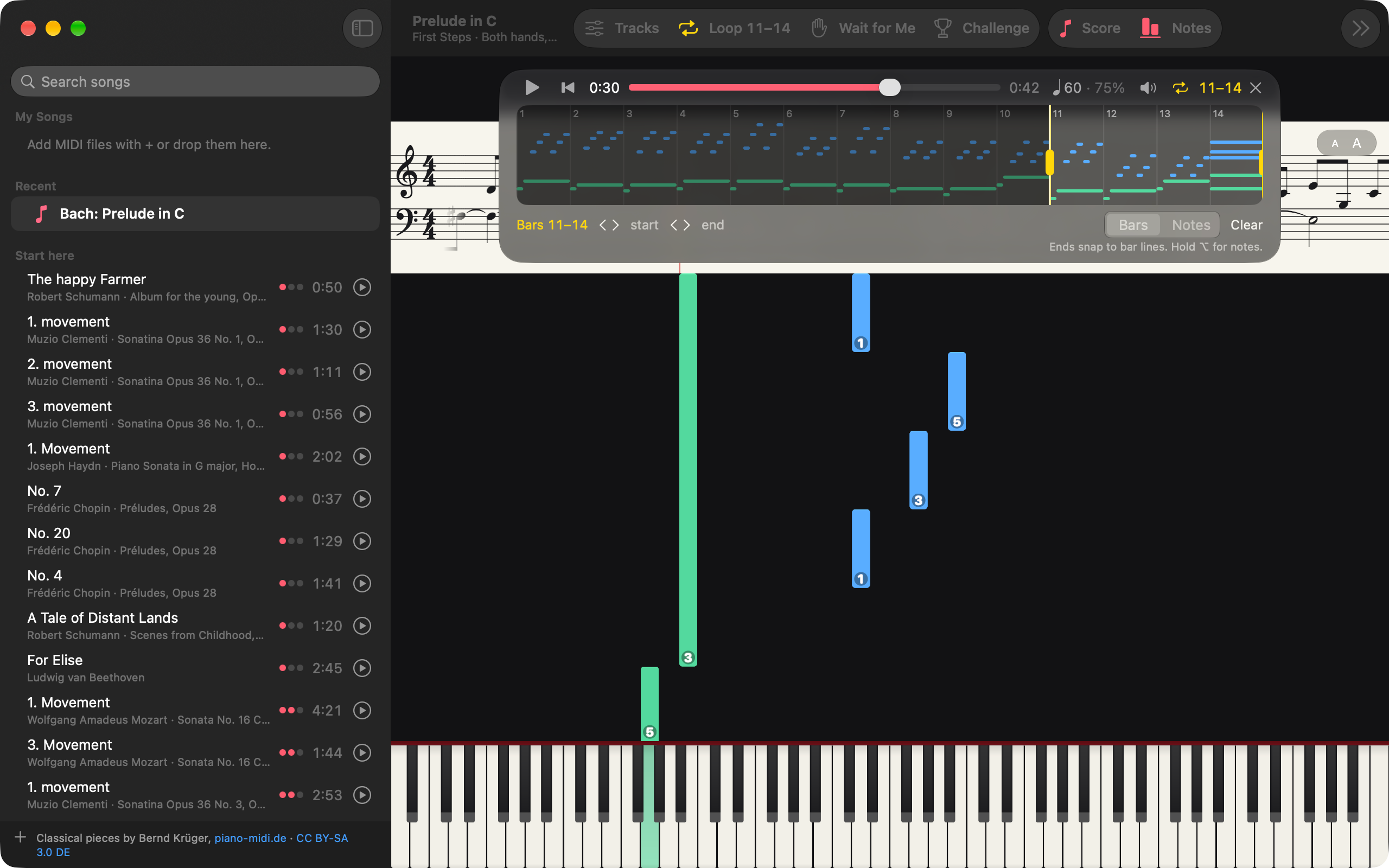
Loop a section
Drag it on the small piano roll in the transport bar, and it repeats with no gap.
-
Fingers on the notes
First Steps shows the fingers as written. For other pieces with a part for each hand, Pupitre suggests fingers sized to your hand, and leaves blank what it cannot finger well.
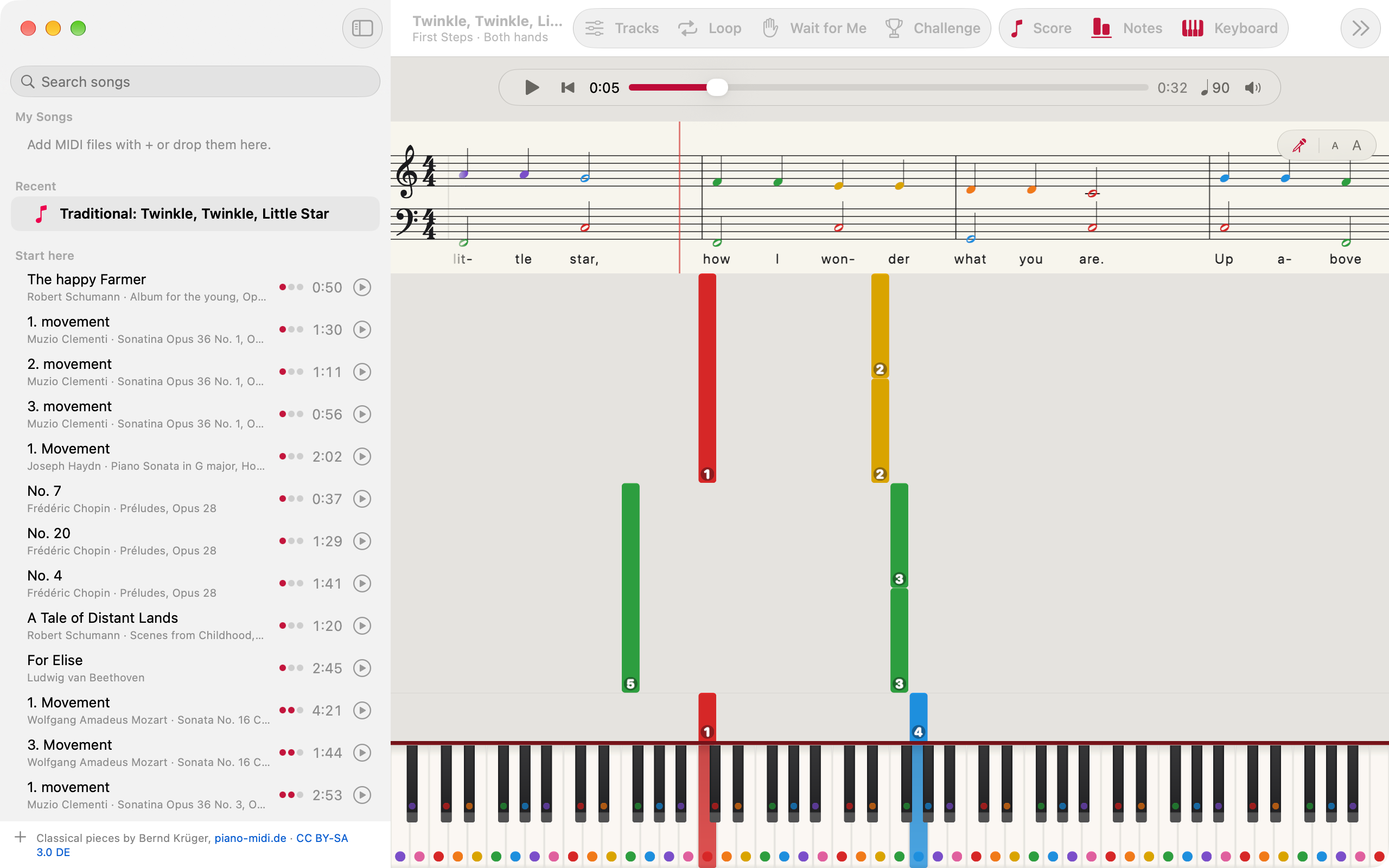
Each note in its name’s colour.
C red through B pink, on the score, the falling notes and the keys, as a teacher’s stickers would be. Change the colours to match a method book, and name the notes in letters, in solfège, or both.
- C Do
- D Ré
- E Mi
- F Fa
- G Sol
- A La
- B Si
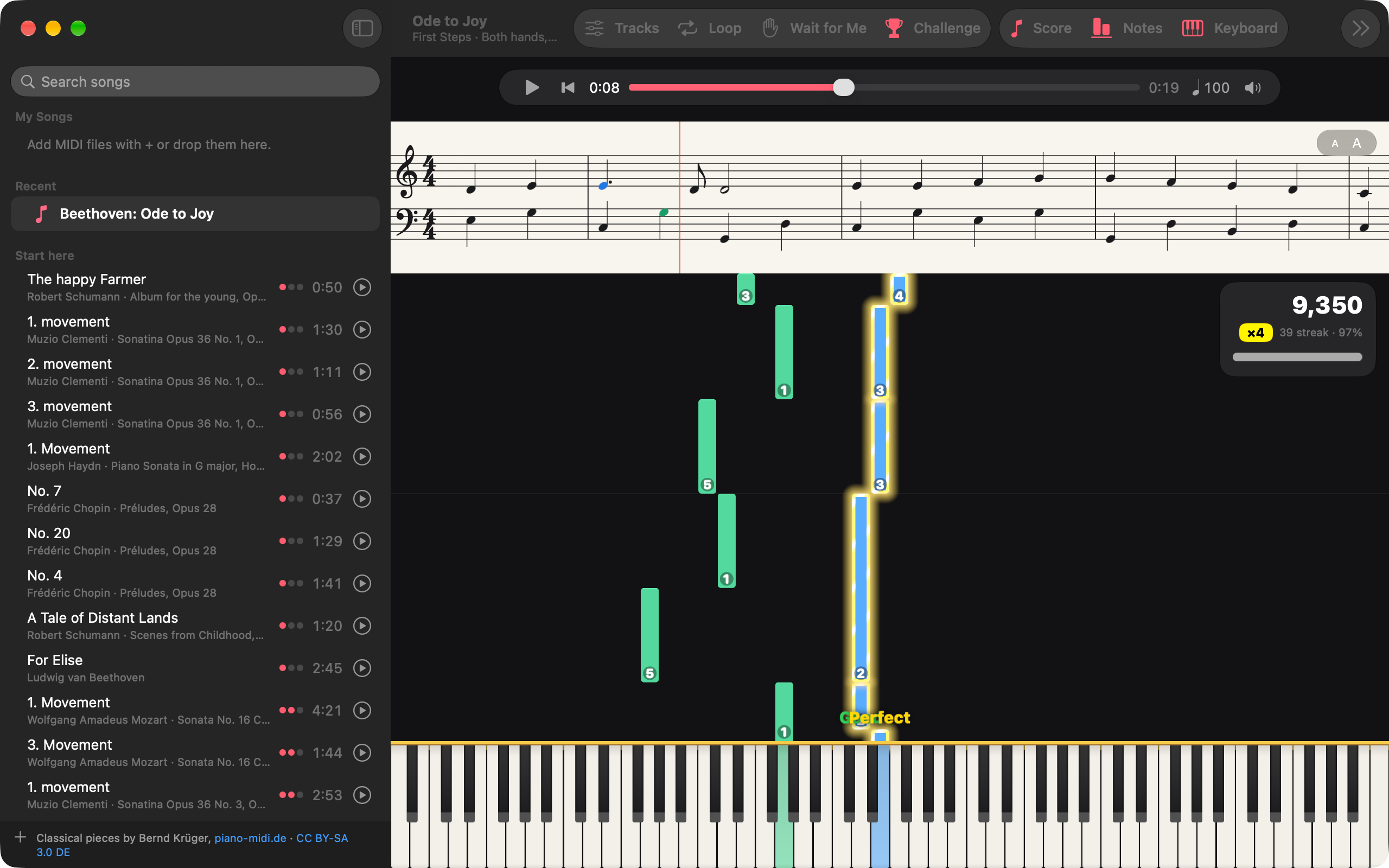
Every note judged as you play it.
Turn on Challenge and each note you play is scored the moment you play it. A streak multiplier climbs to ×4, a faster tempo scores more, and every song keeps your best for each mode and difficulty.
- Perfect
- Good
- Early
- Late
- Miss
- ×1
- ×2
- ×3
- ×4
Arcade Effects, off until you turn them on, make your notes glow as the streak climbs.
Something to play
from the first day.
Pupitre plays MIDI files, so what you open is the music itself, note by note, rather than a recording of it. The course is public-domain music; the classical pieces are piano-midi.de’s, under an open licence.
- 28 First Steps Pupitre’s own course, in an order that adds one thing at a time: English and French children’s songs first, then Für Elise, Bach’s Prelude in C and La Marseillaise. Each at three levels, from the right hand alone to both hands moving.
- 332 Classical pieces The piano-midi.de library, by composer, with a graded Start Here set. Preview any piece before opening it.
- ∞ Your own Any MIDI file. Open it, drop it on the window, or add it to My Songs, kept in iCloud Drive with its loop, tempo and settings.
Every song remembers where you left it: its loop, its tempo, its parts and its place.
One stand, wherever the keyboard is.
One native app for all three. A keyboard on the Mac, a keyboard plugged into an iPad, or the iPhone’s screen on the bus. The songs you add follow you through your own iCloud, with their settings.
Sounds like a piano. Keeps to itself.
-
Two pianos
An upright is built in, so it plays from the first launch. The Concert Grand, a Yamaha C5 recorded key by key, comes with Pupitre Pro as a download from Settings.
-
Played as you play
Velocity and the sustain pedal reach the piano as you play them, and a Ped. mark shows on the score while the pedal is down.
-
No account
No sign-in, no ads and no analytics. Open the app and play.
-
Yours, in your iCloud
Your songs, your settings and your best scores stay on your devices and in your own iCloud.
Do I need a MIDI keyboard?
It is made for one, but no. Without a keyboard you can play the keys on screen, with the mouse on a Mac or with your fingers on iPad and iPhone, or just watch and listen to a song.
Which keyboards work?
Any keyboard your Mac, iPad or iPhone sees as a MIDI source. Pupitre listens to all of them at once, apart from the control-surface ports some keyboards add for their knobs and pads, and plays velocity, the sustain pedal and pitch bend.
Is it for complete beginners, or for children?
Yes. First Steps, Pupitre’s own course, starts with English and French children’s songs and adds one thing at a time, each tune at three levels from the right hand alone to both hands moving, with the finger for every note. Wait for Me at Gentle holds the song until you find each note.
Can I play my own songs?
Yes, from MIDI files. Open one, drop it on the window, or add it to My Songs, which keeps it in a Pupitre folder in iCloud Drive so it reaches your other devices with its loop, tempo and settings. Pupitre does not open audio recordings.
Does every song get a score?
Every MIDI file written on a grid, as most published ones are, gets an engraved grand staff above the falling notes or in their place. A file recorded by someone playing freely gets the falling notes only.
What does Pupitre send, and to whom?
Nothing to us. There is no account, no ads and no analytics. Your songs, settings and best scores stay on your devices and in your own iCloud, and the Concert Grand, if you choose it, is downloaded from Apple.
Which devices does it run on?
Mac, iPad and iPhone, as one native app: macOS 26 or later, and iOS or iPadOS 26 or later.
-
 Pochette your music library, in agreement with itself
Rename, organize and tag a music library kept as files, and read every change before it is made. On the Mac, it can play from the same Concert Grand as Pupitre, one copy for both.
-
 Chevalet a guitar teacher for the guitar you own
Pupitre’s sibling for the guitar. It hears you play through the microphone and plays your own Guitar Pro tabs with you, with the same library, loops and Wait for Me.
Your keyboard has a music stand now.
On the App Store · Requires macOS 26, iPadOS 26 or iOS 26